Photobooth Key Takeaways
- A photobooth takes a quick series of portraits, classically four, and delivers them as a strip.
- The first automatic booth is credited to Anatol Josepho and opened in New York around 1925.
- This free online photobooth works in your browser, needs no sign-up and never uploads your photos.
- Good light, an eye-level camera and a varied sequence of poses matter more than any equipment.
- Choose an online booth for casual use, a DIY setup for budgets and a rental for large events.
What Is A Photobooth?
Quick answer: a photobooth (also written photo booth) is a small private space or camera station that takes a quick series of portraits, usually four, and gives you the result as a photo strip. It is one of the most loved little inventions in photography, because it turns taking pictures into a game: press the button, wait for the flash, and try to look different in every frame.
This page gives you two things. First, a free online photobooth that runs in your browser, so you can make a real photo strip with your own webcam in less than a minute. Second, a complete guide to everything around the topic: where the photobooth came from, the different kinds of booths you can find today, how to plan one for a wedding or birthday, how to pose, how to light your face, and what to do if your camera refuses to cooperate. Everything on this page is original writing, and the booth itself needs no account, no app and no payment.
If you are here just for the fun part, jump straight to the free online photobooth. If you are planning an event or simply curious about the history, keep scrolling; the sections below are written so you can read them in order or dip into any one of them.
Free Online Photobooth
Allow your camera, choose a layout and look, then press Take photos. Your pictures are made inside your browser and are never uploaded.
Camera is off.
Layout
Filter
Frame colour
Caption
Countdown
This is a free in-browser tool. It does not record video, store images or send anything to a server.
Photobooth Features At A Glance
The booth above is deliberately simple, because the best photobooth is the one that gets out of your way. Here is exactly what it does, so you know what to expect before you press the button.
Completely Free
No account, watermark or download limit, ever.
Private By Design
Photos are made in your browser and never uploaded.
Six Photo Filters
Black and white, sepia, vintage, vivid, cool or original.
Phone And Desktop
Works on current Chrome, Edge, Firefox and Safari.
Four Layouts
Strip, short strip, 2×2 grid or a single portrait.
Print-Ready PNG
High-resolution download that prints cleanly.
| Feature | Options | What it does |
|---|---|---|
| Layout | 4-photo strip, 3-photo strip, 2×2 grid, single | Builds the classic vertical strip, a shorter strip, a square-ish grid or one portrait. |
| Filter | Original, black & white, sepia, vintage, vivid, cool | Changes the colour mood of every frame; you can switch after shooting. |
| Frame colour | White, black, rose, mint, sky, butter | Sets the border colour, just like the paper edge of a printed strip. |
| Caption | Up to 36 characters | Prints your text and the date at the bottom, ideal for events. |
| Countdown | 2, 3 or 5 seconds | Gives you time to pose before each flash. |
| Download | High-resolution PNG | Saves the finished strip, ready to share or print. |
Every picture is mirrored the way a selfie camera shows you, in the live preview and in the saved strip, so what you see while posing is exactly what you download.
How To Use The Online Photobooth
Using an online photobooth takes less than two minutes, and you do not need to read instructions twice. Follow these five steps and you will have a strip you can post, print or send to friends.
- Allow the cameraPress Start camera and choose Allow when your browser asks for permission.
- Pick a layoutChoose a four-photo strip, three-photo strip, 2×2 grid or single portrait.
- Choose a lookSelect a filter, a frame colour and, if you like, a short caption.
- Take photosPress Take photos and strike a new pose on every countdown.
- DownloadSave the finished strip as a PNG, then print or share it.
Before You Press Start
Take ten seconds to set the scene. Face a window or a lamp so the light falls on your face rather than behind you, wipe the camera lens with your sleeve, and move any clutter out of the background. If you are on a laptop, tilt the screen until the camera sits at about eye level; a camera that looks up your nose or down at the top of your head is the single most common reason a photo strip looks unflattering. On a phone, prop the device against something stable so you can step back and fit two or three people in the frame.
While The Countdown Runs
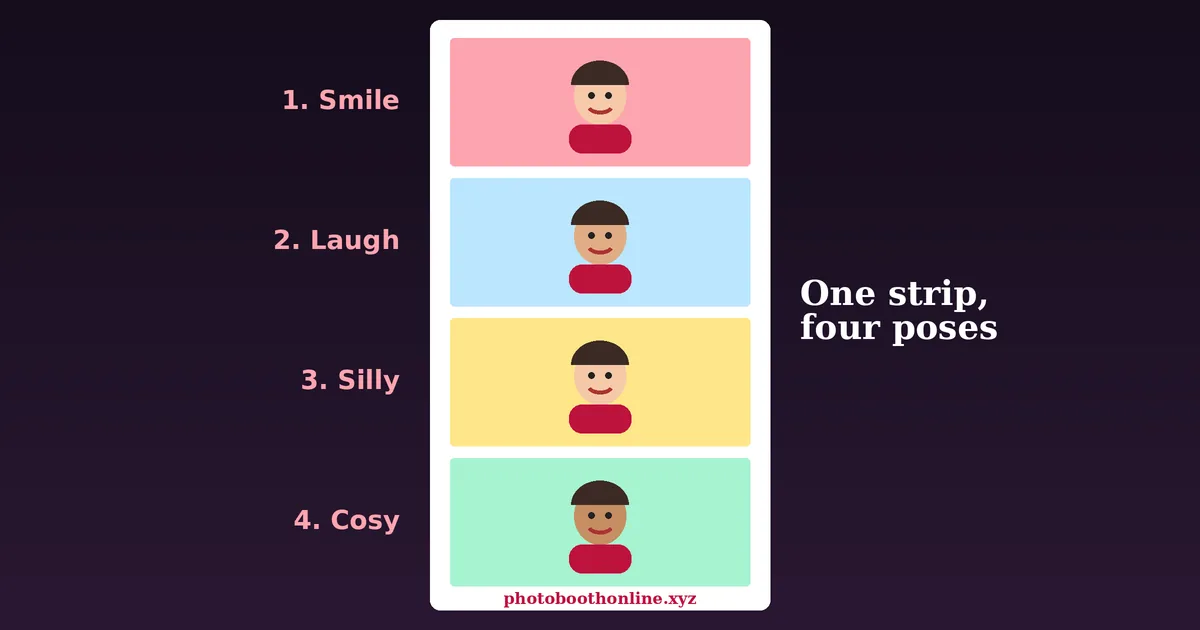
Each photo starts with a countdown and ends with a quick flash. Use the countdown to change your pose rather than to hold one expression, because the charm of a photobooth strip is the story it tells in four frames. A common rhythm is a calm smile, a big laugh, a silly face and a close, cosy finish. If you are with friends, agree on the sequence before you begin so nobody is caught mid-sentence.
After The Last Photo
When the fourth picture is taken, the finished strip appears under the camera. Change the filter or the frame colour and the strip updates immediately, so you can compare black and white against sepia without shooting again. Edit the caption to add a name, an event title or a date. When you are happy, press Download PNG. If you are not, press Take again and run the sequence one more time; nothing is saved until you choose to save it.
Watch: How Vintage Film Photobooths Work
Curious about the machine behind the curtain? This short documentary from Alabama Public Television’s Monograph series visits photographer Bre Saxon, who restores vintage film photobooths that develop real photo strips in a dark room inside the cabinet. It runs about three and a half minutes and is a good companion to the history of the photobooth below.
Video by Alabama Public Television (Monograph), published March 19, 2024 on YouTube and loaded only when you press play, using the privacy-enhanced youtube-nocookie.com player. It is not made by or affiliated with PhotoboothOnline. Open on YouTube.
The History Of The Photobooth
The photobooth looks timeless, but it has a clear history. Understanding where it came from explains why the strip format, the curtain and even the flash feel so familiar, and why the idea has survived for roughly a century in an age when everyone carries a camera in their pocket.
For deeper reading, the Wikipedia article on photo booths and the biography of Anatol Josepho are good starting points, and photobooth.net is a long-running enthusiast archive. See the sources and further reading list at the end of this page.
Before The Booth: Portraits Were An Occasion
In the nineteenth century a photograph meant a visit to a studio, a stiff pose and a long exposure. Portraits were expensive and formal, and ordinary people owned very few pictures of themselves. Street photographers and cheap tintype studios made portraits more accessible, but the experience was still slow and supervised by a professional. The dream of a machine that would let anyone take their own portrait, privately and cheaply, was waiting to be built.
The 1920s: The Automatic Photographic Machine
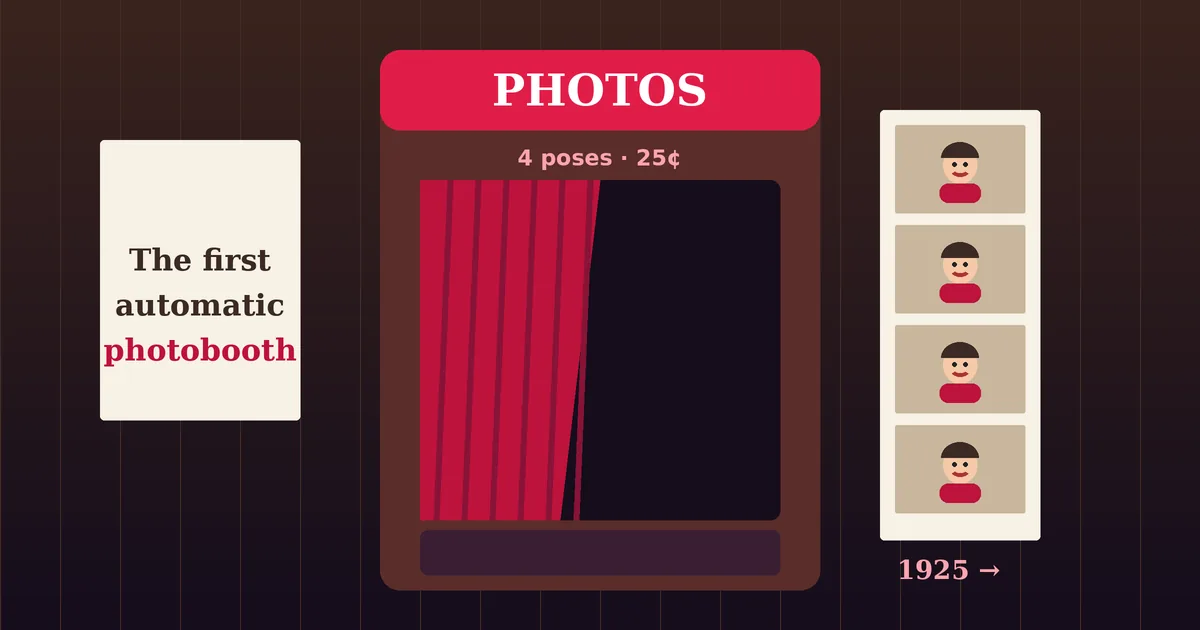
The automatic photobooth is most commonly credited to Anatol Josepho, a Russian-born inventor who opened his Photomaton studio on Broadway in New York in the mid-1920s (most sources say 1925, though some give 1926). Customers stepped inside, paid a small coin and received a strip of small portraits within minutes, with no photographer in the room. The idea spread quickly, and Josepho is reported to have sold the rights for a large sum only a couple of years later. Booths soon appeared in amusement arcades, department stores, railway stations and fairgrounds across America and Europe.
Artists, Passport Photos And Pop Culture
Because a booth gave people a private place to make faces, it attracted artists as well as families. Surrealists in Paris made playful booth portraits in the late 1920s, and in 1963 Andy Warhol made his well-known photobooth self-portraits. At the same time the booth became a practical tool: four identical small pictures were exactly what an application form or identity document needed, so generations of people queued for passport photos. Films, songs and novels later used the booth as shorthand for secret meetings, first dates and teenage friendship.
Chemical Strips To Digital Screens
For most of the twentieth century a booth was a chemical machine. A camera exposed the strip, a series of baths developed it, and a warm paper strip slid into a slot a few minutes later. From the 1990s onward, digital cameras and thermal or dye-sublimation printers began replacing the chemistry. Screens added previews and filters, and printing became faster and more reliable. Classic chemical booths became rare, and enthusiasts now restore and collect them, much as people collect vintage jukeboxes.
The Event Booth And The Online Photobooth
In the 2000s and 2010s the photobooth escaped its curtain. Rental companies began bringing open-air booths, mirror booths and backdrops with props to weddings, school proms and company parties, and the shareable GIF and instant social post became as important as the printed strip. Phones and webcams then made the format available to everyone, and an online photobooth like the one on this page recreates the same ritual in a browser: a countdown, four quick frames and a finished strip, with no machine required.
Why People Love Photobooths
Photobooths have outlived many technologies that were supposedly more advanced. The reason is not nostalgia alone. A good photobooth experience combines several things that a normal selfie cannot, and each one explains part of the appeal.
It Is Spontaneous
You do not get to retake and perfect each frame. The countdown pushes you to react, and the unplanned expressions are usually the ones people treasure. A strip captures a short moment in sequence, so it feels like a tiny film rather than a single pose.
It Is Social
Booths are made for two, three or a whole group squeezed into the frame. Fitting everyone in, deciding the pose and laughing at the result is part of the fun, which is why a booth often becomes the busiest corner of a party.
It Is Honest And Playful
Because the strip is short and the format is so familiar, nobody expects studio perfection. That permission to be silly lowers self-consciousness, and people who hate being photographed often enjoy a booth.
It Becomes A Keepsake
A strip is small, tactile and easy to tuck into a wallet, a scrapbook or a fridge door. Digital versions can be saved and shared instantly, but many people still print theirs, because a physical strip feels like proof of a particular afternoon.
Tip: Date your strip with a caption. Years later, the date is what turns a funny picture into a memory.
Types Of Photobooths
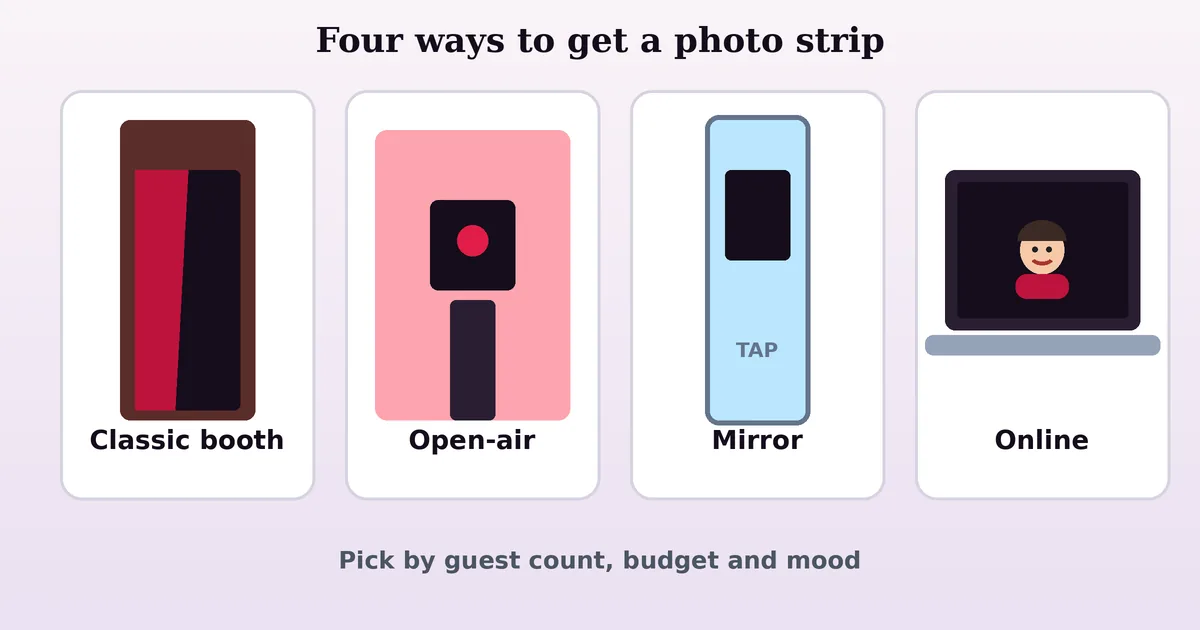
Not every photobooth is a curtained box. Depending on your budget, your space and the mood you want, there are several different styles, each with its own strengths. Here are the main ones you will meet.
Classic Enclosed Photobooth
The traditional booth is a freestanding cabinet with a seat, a curtain and a camera behind glass. It offers privacy, which makes people braver, and a strong vintage look. The downside is size and cost: an enclosed booth needs floor space, power and often a technician, so it suits venues such as bars, arcades and large celebrations more than a living room.
Open-Air Photobooth
An open-air booth removes the cabinet and places a camera, screen and lighting on a stand in front of a backdrop. Groups of ten or more can fit in the picture, which is why this format dominates weddings and corporate events. It packs into a car, sets up quickly and gives you control over the backdrop, but it lacks the intimate, curtained feel of a classic booth.
Mirror Photobooth
A mirror booth hides a touchscreen behind a full-length mirror. Guests admire themselves, tap the glass to begin, and animated prompts guide them through the shoot. It looks elegant and works well in formal settings, though it is usually more expensive to hire than a simple open-air setup.
360 And Video Photobooth
A 360 booth spins a camera around a small platform to create a slow-motion orbit video of the guests, while a video booth records short messages. They are exciting for modern events, but they produce clips rather than classic strips, so they appeal to a slightly different crowd.
DIY And Smartphone Photobooth
You can build a respectable photobooth with a tripod, a phone, a ring light, a bed sheet or paper backdrop and a few props. Free apps trigger the shutter with a countdown, and a small printer or a shared album handles delivery. This is the best budget route, though it requires some setup time and someone to keep the system running.
Online Photobooth
An online photobooth, such as the one on this page, uses a webcam in a web page. There is nothing to install, nothing to rent and nothing to clean up afterwards. It is ideal for remote friends, classrooms, quick profile pictures, creative projects and casual parties, and it complements a physical booth rather than replacing it.
Photobooth Ideas For Parties And Events
A photobooth is one of the few party features that people remember afterwards, because it gives every guest something to take home. These ideas work for physical booths and for casual online setups alike, and they cost very little to try.
Weddings And Engagement Parties
A booth gives guests a place to relax between the ceremony and the dancing, and it produces a wonderful, unplanned album of the people who were there. Place it somewhere visible but away from the speakers, choose a backdrop that matches the colours of the day, and set a caption with the couple’s names and the date. A guest book page with a printed strip beside each handwritten note is a favourite keepsake. If you use this online photobooth on a laptop, keep it near the entrance so guests discover it early, and read the photobooth tips for lighting advice.
Birthdays And Baby Showers
Choose a theme and let the props and backdrop do the work: balloons for a child’s birthday, flowers for a baby shower, or a decade theme for a milestone age. Because children are often unpredictable, use a shorter strip or a single portrait and a five-second countdown so everyone has time to get ready.
Schools, Proms And Reunions
Photobooths suit teenagers perfectly, because they combine friends, humour and sharing. For a class reunion, put old yearbook photos beside the booth and invite people to recreate them. Student councils can run an online booth during events with a shared tablet, and teachers can use the same format for creative writing prompts or portrait projects.
Company Events And Brand Activations
At conferences and launches, a branded backdrop and a short caption can turn attendees into content creators. Keep the process quick, because queues kill enthusiasm, and make the finished image easy to share. If you need guaranteed print quality, staffing and a custom overlay, a professional rental is the right choice; for a small team lunch, a laptop is perfectly fine.
Poses And Prompts That Always Work
- The story: start serious, look suspicious, burst out laughing, finish with a hug.
- The alphabet: make your body into a different letter in each frame.
- The reaction: one person tells a joke while the other reacts in each photo.
- The mirror: two friends copy each other’s expression a beat late.
- The prop swap: pass a hat, a pair of sunglasses or a toy between frames.
Tips For Better Photobooth Photos
You do not need professional equipment to make a photo strip that looks good. A few small habits improve nearly every result, whether you are using a booth at a party or the free photobooth above.
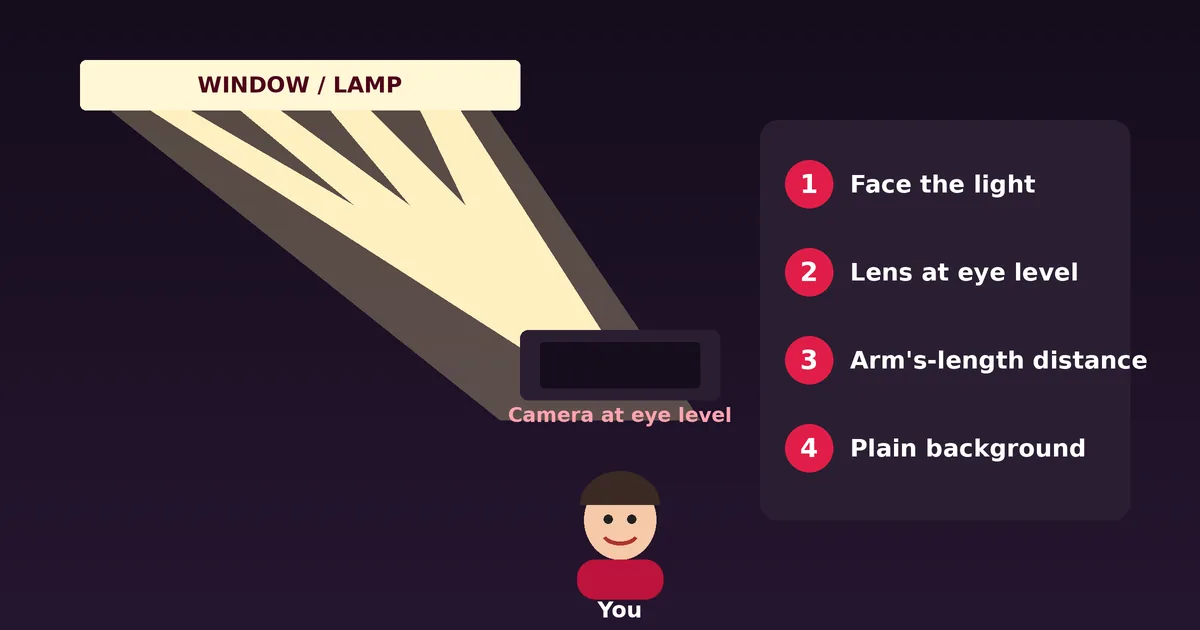
Get The Light Right
Light matters more than the camera. Face a window or place a lamp slightly in front of you and to one side, so your face is evenly lit. Avoid sitting with a bright window behind you, because the camera will expose for the window and turn you into a silhouette. In the evening, a warm desk lamp placed behind the screen gives a flattering glow.
Position The Camera
Raise a laptop on a stack of books until the lens is at eye level, and sit about an arm’s length away. Leave a little space above your head and fill the frame with your face and shoulders. For groups, move back a step and lean together, because crowded faces create a warmer, friendlier picture than people standing at a distance.
Choose A Filter On Purpose
Filters change mood, so pick one that matches the occasion. Black and white hides messy backgrounds and uneven skin tones and always looks classic. Sepia and vintage give a nostalgic feel for retro parties. Vivid works well in bright daylight and for colourful props. Cool is subtle and suits modern, clean portraits. Because you can change the filter after shooting, try each one in the free photobooth before you download.
Pose For The Sequence
Think of the four frames as a mini-story. Vary the distance, the angle and the energy: lean in, lean out, tilt your head, and look away in one frame. If you wear glasses, tilt the screen slightly to avoid glare. Smile with your eyes, relax your shoulders and take a breath before each countdown.
Keep The Background Simple
A plain wall, a curtain or a bookshelf works better than a cluttered room. If you want a backdrop for an event, a roll of paper, a fabric sheet or a strand of lights looks better than busy patterns that compete with faces. Check what is visible behind you in the preview before you press Take photos.
Rent, Buy Or Use An Online Photobooth?
If you are planning an event, you have three realistic choices. Each can be the right one depending on your guest list, budget and how much work you want to do on the day. The table compares them honestly, with typical strengths and drawbacks rather than exact prices, which vary widely by country and season.
| Option | Best for | Pros | Cons |
|---|---|---|---|
| Rent a booth | Weddings, large parties, brand events | Staffed, props, instant prints, custom overlays, no setup work | Highest cost, must be booked in advance, fixed hours |
| Buy or build a booth | Frequent hosts, small businesses | Reusable, full control over style and branding | Upfront cost, storage, setup and maintenance |
| Online photobooth | Casual parties, remote friends, classes, quick portraits | Free, instant, nothing to install, private, works anywhere | Needs a device with a camera, no physical prints on the spot |
How To Decide
Start with the number of guests and the mood you want. Over fifty guests and a formal setting usually justify a rental, because a staffed booth keeps the queue moving and delivers prints. A small gathering at home needs nothing more than a laptop and a good lamp, which is exactly what this website is for. Compare the styles in our guide to types of photobooths first. If you host events often, building your own open-air setup around a tablet or camera can pay for itself within a few uses.
Questions To Ask A Rental Company
Ask how long the booth is staffed, whether prints are included, what happens if a device fails and whether the digital gallery has a time limit. Request sample images so you can see the real lighting quality, and confirm the space, power and access requirements at your venue before you sign the contract.
Privacy And Safety When Using An Online Photobooth
A camera on a web page deserves careful handling, so here is exactly how this photobooth treats your pictures. The video preview is shown only on your device. When you press Take photos, individual frames are copied from that preview into your browser’s memory, combined into a strip and displayed on the same page. Nothing is uploaded, nothing is saved in a database and nothing leaves your device unless you download the file and share it yourself.
Good Habits For Any Camera Website
- Use camera tools only on pages whose address begins with https://.
- Grant camera access only for the session when your browser offers that choice.
- Stop the camera when you finish; this page has a Stop camera button and the green camera light on your device should turn off.
- Check the permissions list in your browser settings occasionally and remove sites you no longer use.
- Think before posting photos of children or other people who have not agreed to be shared online.
For more detail, read our privacy policy and terms of use, or contact us with questions. We also recommend asking permission before photographing guests at a party, especially if you plan to post the strip publicly.
Photobooth Troubleshooting: Camera And Download Problems
Most problems with an online photobooth come from permissions or from another program using the camera. Work through the fixes below in order, because the first two solve the majority of cases.
The Camera Does Not Start
Click the lock or camera icon in the address bar, set Camera to Allow and reload the page. Close any video-call program, screen recorder or other tab that might be using the camera, because many devices allow only one program at a time. On a phone, check the operating system privacy settings and make sure the browser itself is allowed to use the camera.
The Picture Is Dark Or Grainy
Add light in front of you. A lamp or a window does more than any setting. Clean the lens, avoid sitting under a single overhead bulb and try the Vivid or Original filter, since black and white can emphasise grain in dim rooms.
The Preview Is Mirrored
That is intentional. The live preview and the saved photos use the same selfie-style mirror image your phone camera shows, so what you see is what you get. Text you hold up will look reversed in the picture, so write signs backwards or avoid text in frame.
The Download Does Not Appear
Check your browser’s downloads list and make sure pop-up or download blocking is not enabled for this site. On iPhone and iPad, tap Download PNG, then choose Download in the prompt or open the image and use the share sheet to save it to Photos. If it still fails, try another current browser.
The Strip Looks Cut Off Or The Wrong Shape
Photos are cropped to a four-by-three frame from the centre of your camera view. Move so your face sits in the middle of the preview and leave space above your head. Changing the layout clears the current photos, so choose your layout before you shoot.
Latest Photobooth Guides
Go deeper with our practical articles on poses, props, backdrops, weddings, DIY setups and rentals. Each one links back to the free photobooth so you can try the ideas right away.
Best Photobooth Poses for Solo, Couples & Groups
Not sure what to do when the countdown starts? These photobooth pose ideas for solo, couples and groups make every photo strip look fun and natural.
How to Make a DIY Photobooth at Home (Easy Guide)
Build a DIY photobooth at home with a phone or laptop, a backdrop, good lighting and a few props. Simple setup, budget tips and mistakes to avoid.
Wedding Photobooth Ideas Guests Will Love
Plan a wedding photobooth guests will actually use: placement, backdrop, props, guest book ideas, timing and tips for open-air, mirror and DIY booths.
Photobooth Props Ideas: Fun, Easy & Budget-Friendly
Find the best photobooth props ideas for weddings, birthdays and parties, from DIY signs to hats and glasses, plus tips for choosing, making and displaying props.
Photo Booth Rental Guide: Costs, Questions & Checklist
Planning to hire a photo booth? Learn what affects rental cost, which questions to ask, how to compare booth types and what to check in the contract.
Photobooth Backdrop Ideas for Any Party or Event
Creative photobooth backdrop ideas for weddings, birthdays and parties: DIY options, colour tips, materials, sizing and lighting for photos that pop.
Browse all photobooth guides or open the photo strip maker.
Photobooth Glossary
Photobooth language mixes photography, party planning and technology. These short definitions help you compare rental quotes and read guides with confidence.
- Photo strip
- The narrow vertical print of several consecutive pictures that defines the classic photobooth.
- Photomaton
- The name of the early automatic photobooth machine and studio associated with Anatol Josepho.
- Open-air booth
- A camera, screen and lighting on a stand in front of a backdrop, with no enclosure.
- Mirror booth
- A booth that hides a touchscreen behind a mirror and guides guests with animated prompts.
- 360 booth
- A platform where a rotating camera records slow-motion orbit videos of guests.
- GIF booth
- A booth that turns a short burst of photos into a looping animation for sharing.
- Backdrop
- The curtain, fabric, paper or panel behind guests that sets the theme of the pictures.
- Props
- Hats, glasses, signs and other items guests hold to add personality to the strip.
- Dye-sublimation printer
- A printer common in event booths that produces durable, fast-drying photo prints.
- Overlay
- A graphic, caption or logo placed over or around the photos in the finished image.
Sources And Further Reading
These independent resources informed the history and background on this page and are worth reading if you want more detail. We are not affiliated with any of them.
- Photo booth – Wikipedia: overview of how booths work and where they are found.
- Anatol Josepho – Wikipedia: biography of the inventor of the automatic photobooth.
- Smithsonian Magazine: “Four for a Quarter”: a profile of photobooth historian Nakki Goranin.
- Photobooth.net: enthusiast archive on photobooth history, locations and conventions.
- Musée Magazine: “Strike a Pose! 100 Years of the Photobooth”: review of The Photographers’ Gallery exhibition.
Dates for the first booth vary between sources, so verify before citing.
Photobooth FAQ
What is a photobooth?
A photobooth is a small enclosure or camera setup that takes a quick series of portraits, usually four, and delivers them as a strip or grid. Classic booths use a curtain and a coin slot; an online photobooth like this one uses your own webcam.
Is this online photobooth free?
Yes. The photobooth on this page is completely free. There is no account, no watermark, no trial period and no download limit.
Are my photos uploaded or stored anywhere?
No. The camera feed, the photos and the finished strip are all processed inside your browser. Nothing is sent to our servers, so when you close the tab the photos are gone unless you downloaded them.
Which devices and browsers work?
Any modern browser with camera support works, including current versions of Chrome, Edge, Firefox and Safari on desktop, Android and iPhone or iPad. The page must be opened over HTTPS, which this site always uses.
How do I download my photo strip?
After the last countdown the finished strip appears under the camera. Press “Download PNG” to save it. On a phone, the file lands in your downloads or you can long-press the image to save it to your gallery.
Why can't the photobooth access my camera?
Most often the permission was blocked or another app is using the camera. Click the lock icon beside the address bar, allow the camera for this site, close video-call apps and reload the page.
Is it “photobooth” or “photo booth”?
Both are correct. “Photo booth” is the traditional two-word spelling, while “photobooth” as one word is very common online and in product names. Search engines treat them as the same thing.
How many pictures are in a classic photobooth strip?
The classic strip has four pictures, though three-frame and two-frame strips have existed too. This photobooth offers a four-photo strip, a three-photo strip, a 2×2 grid and a single portrait.
Can I use this photobooth at a party or wedding?
Yes, for casual use. Put a laptop or tablet with a webcam on a table, open this page and let guests take turns. For a staffed booth with instant printing, props and a backdrop, hire a professional photobooth rental company.
Can I print the strip?
Yes. The download is a high-resolution PNG. Print it at home or at a photo shop; the strip is proportioned so that two copies fit side by side on a standard 4×6 inch print.
What are the best poses for a photobooth strip?
Start natural, then escalate: a smile, a laugh, a silly face, then a close, cosy pose with a friend. Move a little between frames so each picture feels different.
Is PhotoboothOnline affiliated with any photobooth brand?
No. PhotoboothOnline is an independent website and is not affiliated with any photobooth manufacturer, rental company or camera brand. All trademarks belong to their owners.
Ready For Your Close-Up?
Open the free photobooth, strike a pose and download your strip in under a minute.
Back To The Photobooth